

4G/5G Radio Wholesaler Buying Tips for Consistent Network Performance
2026-11-27
Most network problems don’t start in the field—they start in the purchase order. When you’re sourcing 4G/5G radios wholesale, a supplier’s consistency decides whether your rollout stays stable or turns into a troubleshooting marathon. The tips below cut through spec-sheet noise and focus on what actually keeps throughput, handover, and uptime predictable. If dependable RF performance is non-negotiable, lisheng is one name worth keeping on your vendor shortlist.
Demand Frequency Band Proof Before You Buy
Most spec sheets list band support in broad strokes, but real compatibility depends on the exact bands your carrier or region actually uses. Ask for a test report or a screenshot from the device's engineering menu before paying, not just a marketing chart. That single step eliminates the most common reason devices get returned.
A written promise from a seller means very little if it cannot be tied to the unit you will receive. Request proof that includes the model identifier, firmware version, and the band list read from that specific unit. If the answer is vague or the seller keeps pointing to a generic datasheet, treat that as a warning.
When the device arrives, verify again before you install or activate it. Check the network mode, run a quick band lock test, and compare it against the proof you were sent. This extra check takes minutes and gives you concrete evidence if a dispute becomes necessary.
Compare New and Refurbished Radios by Real Failure Data
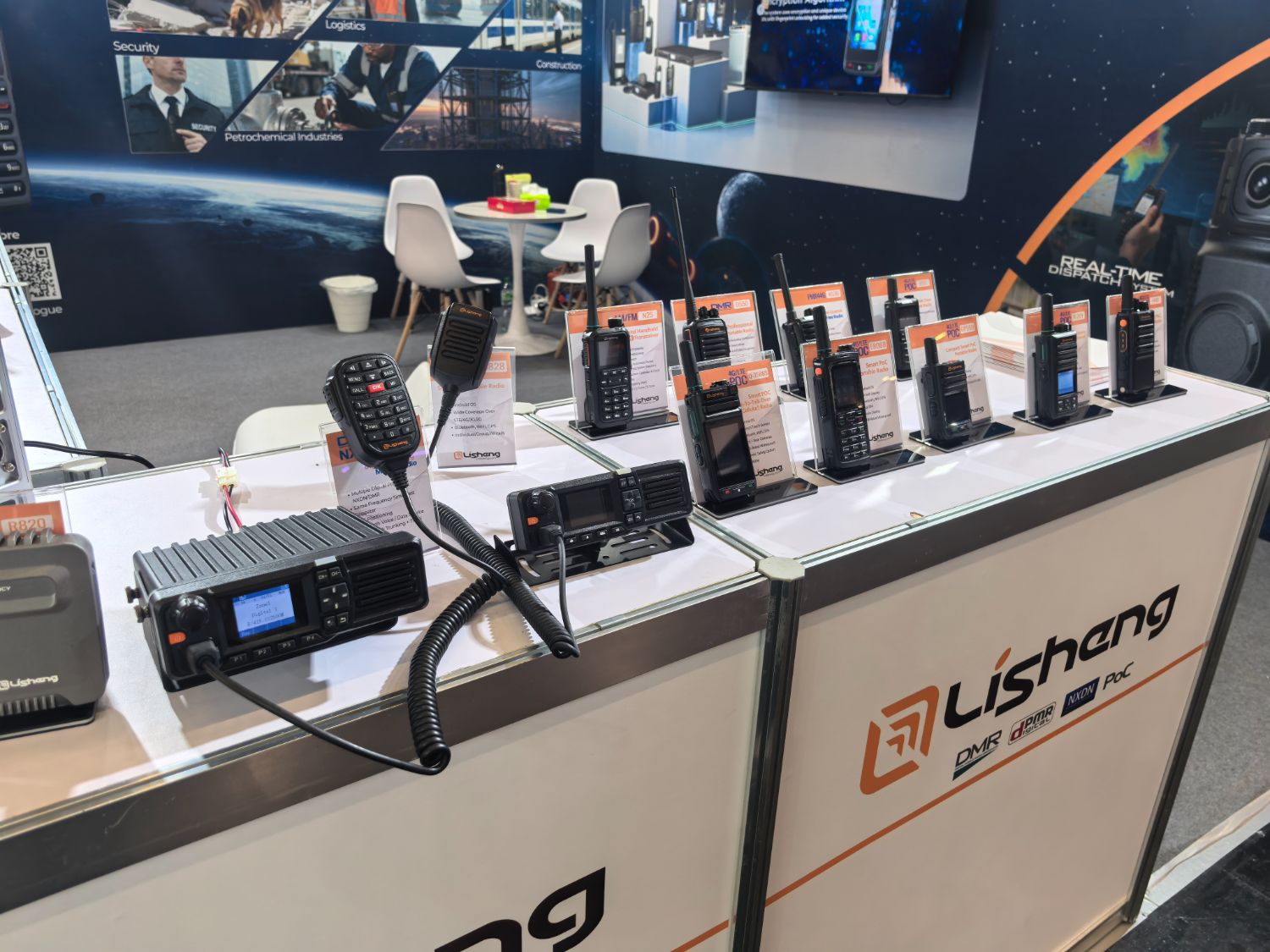
Repair logs from fleet radios often show a pattern that surprises buyers: factory-new units tend to produce a small spike of warranty claims in the first month, mostly tied to solder joints, loose connectors, or parts that slipped past final inspection. Refurbished radios, by contrast, usually arrive after a technician has already opened the chassis and replaced the exact components that show up most often in those early failures. The real data doesn't say one category is always better; it says the failures happen at different points and for different reasons.
When return rates are tracked over twelve months, the gap narrows considerably. New radios that survive the initial burn-in period typically settle into a low, steady failure rate. Refurbished radios can hold a similar line if the rebuild included fresh capacitors, updated firmware, and a proper alignment. Where refurbished units fall behind is usually tied to inconsistent parts sourcing or rushed testing, not to the fact that they were repaired. A well-documented refurbish can even outlast a new unit that had a weak component waiting to fail.
The practical takeaway is to ask for failure data attached to the specific model rather than relying on the new or refurbished label. Some fleets have switched part of their inventory to refurbished radios after comparing their own repair tickets and seen no meaningful increase in downtime. Others went back to new because their refurb supplier wasn't replacing worn shielding or battery contacts. Either decision becomes easier when the service history, not the sticker on the box, drives the comparison.
Heat Is the Quiet Killer of Outdoor Radios
Most outdoor radio failures get blamed on water, dust, or a clumsy drop, but heat does more quiet damage than any of them. A sealed cabinet sitting in direct sun can push internal temperatures well past what the display, tuner, and power supply were designed to handle. Capacitors dry out, solder joints flex, and plastic housings warp long before the owner notices anything wrong.
Mounting spot matters more than most people expect. A radio on an unshaded deck rail, a dashboard, or the transom of a boat can feel only warm on the outside while the inside is already baking. Since there is no airflow through a weather-sealed shell, the case traps heat instead of shedding it. Over a few summers the tuner drifts, the volume knob gets scratchy, and the backlight turns dim.
Protection does not have to be complicated. A small shade panel, a lighter-colored housing, or simply moving the unit out of a closed cabinet while it runs can keep internal temperatures down. If an outdoor radio starts losing stations or shutting off at odd times, heat exposure is worth checking before blaming the antenna or power supply. It leaves no water stains, but it still shortens the radio's life.
Firmware Access Should Not Be an Afterthought
Too often, firmware sits behind layers of proprietary tooling and undocumented interfaces until the moment something breaks. That delay turns routine diagnostics into an archaeology project. When a device misbehaves in the field, the first question should not be whether anyone still remembers how to reach the bootloader or locate a signed update package. Direct, predictable access shapes how quickly a team can isolate a fault, test a fix, or recover a bricked unit without waiting on a vendor ticket.
The cost of treating firmware as a sealed black box shows up in maintenance cycles, security patches, and product turnover. A board that cannot be reflashed cleanly under time pressure becomes a liability rather than an asset. Teams end up building fragile workarounds, keeping obsolete laptops and toolchains alive just to talk to hardware that should have exposed a stable interface from the start. That kind of hidden friction rarely appears on a spec sheet, but it dominates long-term ownership.
Making firmware access a first-class requirement means documenting update paths, preserving rollback options, and testing recovery procedures before they are needed. It also means treating the people who service the hardware as real users of the system, not as an afterthought once the primary features ship. When diagnostics, logging, and image management are built into the product rather than bolted on later, the result is hardware that ages with fewer surprises and less silent downtime.
Run a Small Batch of Radios on Your Own Traffic
Putting a small set of radios on your own traffic is a quick way to see what your current setup can actually tolerate. Keep the batch limited, maybe just enough units to expose weak points without creating a pile of readings you have to dig through. When something misfires, you want it to be easy to trace back to a single device or setting.
Running the test against traffic you already control makes the results easier to repeat. Change one thing at a time, let the batch run, and compare the behavior. You will notice small timing issues, occasional dropouts, or units that fall out of step more clearly than you would under borrowed or unpredictable load.
Treat the first few runs as a reference point rather than a pass-or-fail exercise. Later, if an adjustment changes the pattern, the difference stands out. The point is not to force a flawless run; it is to learn which quirks are normal and which ones only appear after the radios have been running for a while.
Spare Units and Repair Windows Matter More Than Discounts
A lower price feels good for about five minutes, but a machine that sits idle for three weeks waiting on a backordered part eats into your operation every single day. Spare units close that gap. When replacement hardware is already sitting on a shelf nearby, a sudden failure stops being a crisis and turns into a routine swap. That kind of readiness changes how your team plans shifts, schedules maintenance, and talks to customers.
Repair windows work the same way. A discount does not tell you whether a technician will show up on Tuesday or sometime next month. A clear repair window does. It gives you a number you can actually manage around, whether that means rerouting jobs, renting temporary equipment, or simply informing a client with confidence. Real-world uptime comes from that predictability, not from saving a small percentage at the point of purchase.
Over time, the math tilts further away from discounts. One avoided week of downtime can be worth more than several years of negotiated price breaks. Buyers who focus on spare availability and guaranteed service response tend to run tighter, calmer operations, while those who chase the cheapest quote quietly absorb the cost of waiting.
FAQ
Look past peak throughput. Request sustained-load test results and ask how the unit behaves at high temperatures, because thermal throttling often shows up only after 30 to 45 minutes of traffic. Also check whether the claimed MIMO gains persist when the radio shares spectrum with nearby cells.
A radio can support the right region but miss the specific bands your operators rely on for uplink or carrier aggregation. Ask for a band-by-band matrix against your current site inventory, not just a generic list of supported bands. Missing one upstream band can force devices onto a congested anchor and degrade consistency.
Usually yes if your customers run multi-vendor cores or need guaranteed interoperability. Approval means the device passed additional stress testing for handover, voice, and provisioning. If you only need standalone data coverage, a well-built open-market radio with a solid firmware policy may be enough, but verify real-world interop before mixing.
Ask whether updates come as signed, staged packages, how long the vendor supports a hardware revision, and whether you can roll back safely. A wholesaler that cannot show a clear update path often leaves buyers stuck with radios that lose sync or develop packet loss after core network changes.
Pay attention to receiver sensitivity under interference and the number of supported spatial streams, not just max output power. Request BLER curves or a noise rise tolerance figure. Radios with weak filtering can look fine on a tower but fall apart when adjacent channels become busy.
Pilot units let you test mounting, heat dissipation, and interop with your existing network management system. It is better to find that a radio's configuration API conflicts with your provisioning scripts on five units than to discover it across five hundred.
Treat maximum throughput, maximum range, and carrier-grade as claims, not guarantees. Insist on the assumptions behind each number: channel width, MIMO order, distance, traffic mix, and whether the radio was tested standalone or in a noisy environment.
Mixing can make sense when one model handles outdoor macro sites and another covers indoor small cells, but avoid mixing within the same cell cluster unless both models share timing, power control, and handover behavior. Consistency usually improves when you standardize per deployment type.
Conclusion
A wholesaler’s price list rarely tells you how a radio will behave on a live cell site. Before committing to stock, ask for frequency band proof that matches the operator’s actual spectrum, not just a generic model number. That one step filters out gear that looks compatible on paper but fails during installation. When weighing new against refurbished units, skip the sales talk and look at real failure data from previous batches. Some refurbished lots come out of heavily loaded networks and carry stress you will not see in a cosmetic inspection, while certain new units have firmware quirks that only show up after weeks of runtime. Outdoor deployments add another layer: heat. A radio that runs fine in a lab can throttle or drop carriers inside a sealed enclosure on a summer rooftop. Ventilation and thermal design matter as much as output power.
Firmware access is another point that gets ignored until a feature stops working. If the wholesaler cannot give you a clear path to updates and rollback files, you are buying a closed box. Run a small batch on your own traffic before placing a volume order, and watch how the radios handle handovers, load, and minor power fluctuations. This pilot catches problems that spec sheets and bench tests miss. Also weigh spare units and repair windows more heavily than a front-end discount. A slightly cheaper deal loses its value when a failed radio sits offline for six weeks because the seller has no replacement stock or slow repair turnaround. Consistent network performance depends less on the initial price and more on how quickly you can swap, update, and cool the units you deploy.
Contact Us
Contact Person: andrea
Email: [email protected]
Tel/WhatsApp: (+86)13960400802
Website: https://www.lishengradio.com/